
Data Gateway
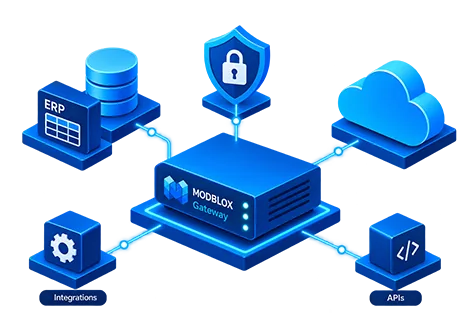
Live ERP data in your Modblox dashboards and reports. The Data Gateway runs beside Syspro on your network and keeps data flowing in both directions. Connect directly when your network allows, or use an outbound-only tunnel when it does not.
Your ERP network
Direct encrypted link
Authenticated connection
Modblox Core
Direct HTTP
When your network allows, Modblox connects straight to the Data Gateway over encrypted HTTPS. Dashboards, reports, and write-back workflows pull live ERP data on demand.
Best for
Cloud-hosted ERP, DMZ setups, or sites where Modblox can reach your gateway directly.
Your ERP network
Outbound only
No inbound firewall rules
Modblox Core
Remote Tunnel
For on-premise ERP behind a firewall, a lightweight connector on your network dials out to Modblox securely. Your firewall stays closed. No inbound ports, no VPN.
Best for
On-premise ERP installations, strict firewall policies, multi-site deployments.
ERP connectivity
Built for Syspro
Modblox connects to Syspro through the Data Gateway. Finance, operations, and commercial teams get live data and approved write-back workflows without a separate integration project.
What is the Data Gateway?
A small service that lives beside your ERP and keeps Modblox in sync with live data. Read inventory, finance, sales, and production. Push approved changes back when workflows require it.
Secure by design. Each company in Modblox can point at the right gateway, so groups with multiple entities or ERP instances stay in one place.
Syspro adapter
ProductionInventory, GL, debtors, creditors, sales, production, BOM, and more. The fullest Modblox experience, with write-back for pricing, Cognos feeds, and integrated Syspro workflows.
Running a different ERP? Talk to us about your connectivity needs.
Read from your ERP
The domains your teams rely on every day.
Write back to your ERP
Approved workflows that update Syspro from Modblox.
Why the gateway matters
Connect without VPNs
-
Outbound connection only
One secure outbound link from your network. No inbound firewall rules.
-
Direct or tunnelled
Same live data and write-back workflows either way. Choose what fits your network.
-
Stays connected
Recovers automatically if the link drops briefly.
Secure and scoped
-
Authenticated access
Every connection is verified before data moves.
-
Per-company routing
Each company in Modblox maps to the right ERP source.
Built for your ERP
-
Syspro ready today
Production-ready coverage across your core business domains.
-
Read and write
Live ERP data in Modblox, with approved changes flowing back.
-
Multi-company groups
Consolidated reporting across entities and ERP instances.
How remote tunnel setup works
-
1
Install the Data Gateway
Put the gateway on a server in your ERP network with the Syspro adapter.
-
2
Provision the connection
Your Modblox admin creates the connection and receives a one-time setup token.
-
3
Start the connector
Run the connector on your network. It dials out to Modblox securely. No inbound firewall rules.
-
4
Map your companies
Link each Modblox company to the right gateway. Users see live ERP data immediately.
Need help connecting to Syspro?
Our team can walk you through gateway setup and get your live data flowing.
Contact us