Modular operations intelligence for ERP-powered businesses

Modular operations intelligence for ERP-powered businesses

Modblox modular ERP operations platform
10
Business domains
33
Licensed modules
12
Cacheable reports
Companies per install

Company Dashboard

A morning briefing built for each company

Every company gets its own customizable dashboard — a grid of live KPI blocks from the modules you license. Finance and operations leaders open Modblox to the metrics that matter, without clicking through every module first.

Available block types

  • Debtors ageing pie chart & overdue amount
  • Creditors ageing pie chart & overdue amount
  • Inventory ageing pie chart & value over 60 days
  • Warehouse valuation pie chart
Company Dashboard
Customize each company’s dashboard — arrange rows and columns, then add live blocks from your licensed modules

Drag-and-drop layout

Arrange rows with one, two, or three columns. Resize columns to double width, nest column groups, and reorder blocks in customize mode — each company keeps its own layout.

Live module blocks

Add blocks from licensed modules — debtors and creditors ageing pie charts, overdue amount cards, inventory value-over-60, and warehouse valuation charts. Each block pulls live ERP data for that company.

Consolidated groups

Group companies automatically use consolidated block variants that roll up metrics across the entire entity — ideal for holding companies and shared service centres.

Fast first paint

The dashboard grid appears immediately; blocks lazy-load as you scroll with skeleton placeholders and loading indicators while ERP data is fetched.

Copy layouts between companies

Standardise dashboards across subsidiaries by copying a proven layout from one company to another — then tailor individual blocks as needed.

Drill through to modules

Click a block heading to jump straight into the full module report for that company — the dashboard is a launch pad, not a dead end.

See it in action

Real modules. Real ERP data.

Live dashboards and reports from the Modblox application — connected to your ERP through the Data Gateway.

Company Dashboard

Platform

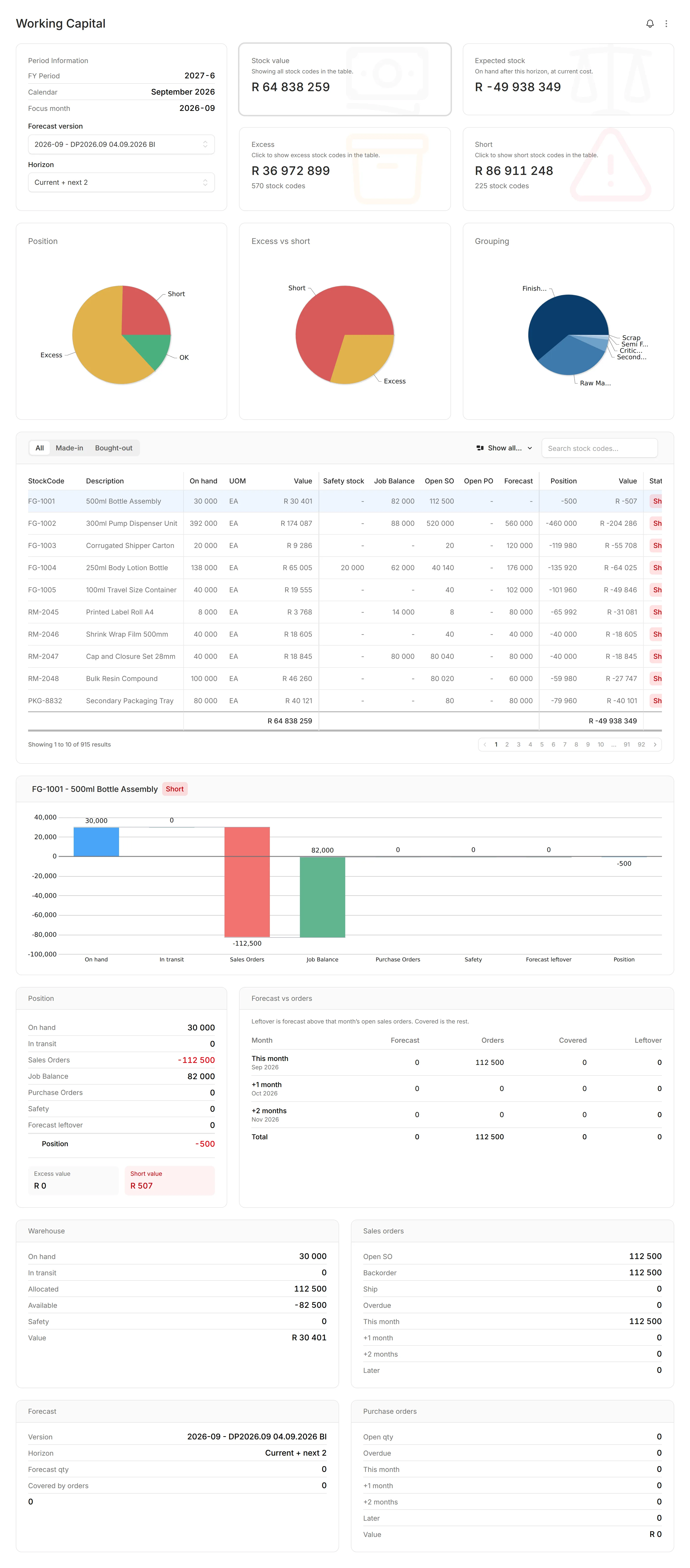
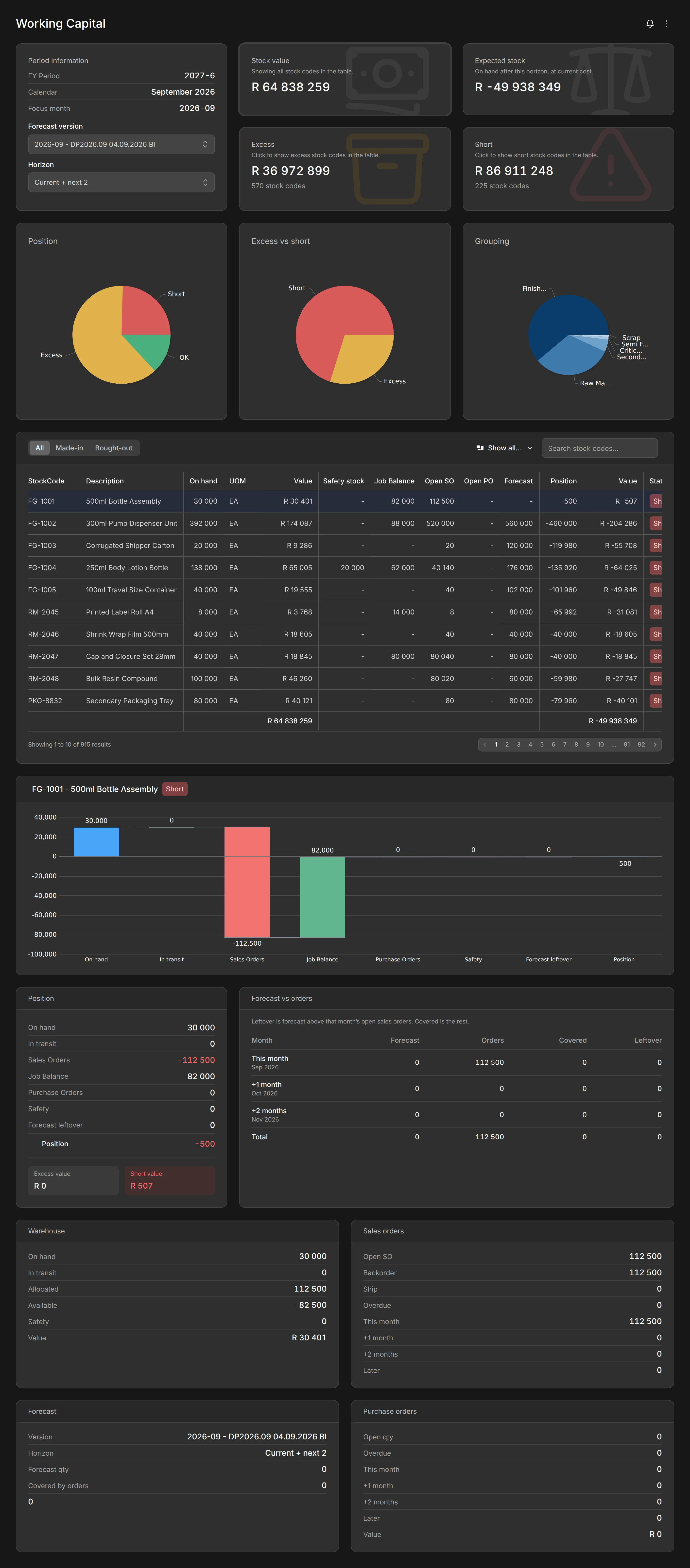
Customizable per-company grid of live KPI blocks — ageing charts, overdue cards, and inventory metrics from your licensed modules, with consolidated roll-ups for group companies.

Warehouse Valuation

Inventory

Multi-period valuation trends, pie charts, and warehouse grouping with period-over-period comparison — live from your ERP.

Explore Inventory →
Inventory Ageing

Inventory

Ageing report with period selector, health score, overdue breakdown, pie charts, and summary plus detail lists.

Explore Inventory →
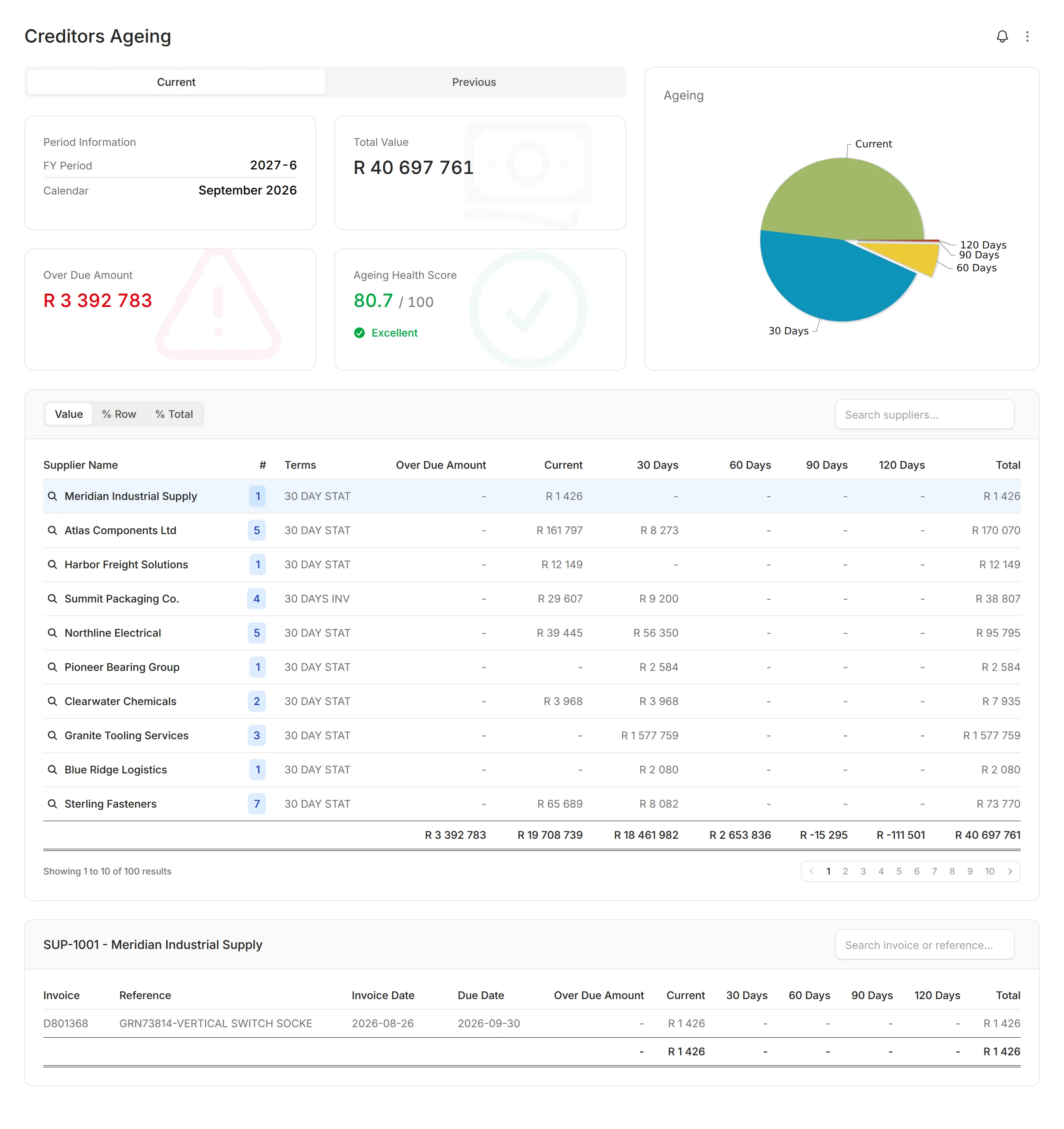
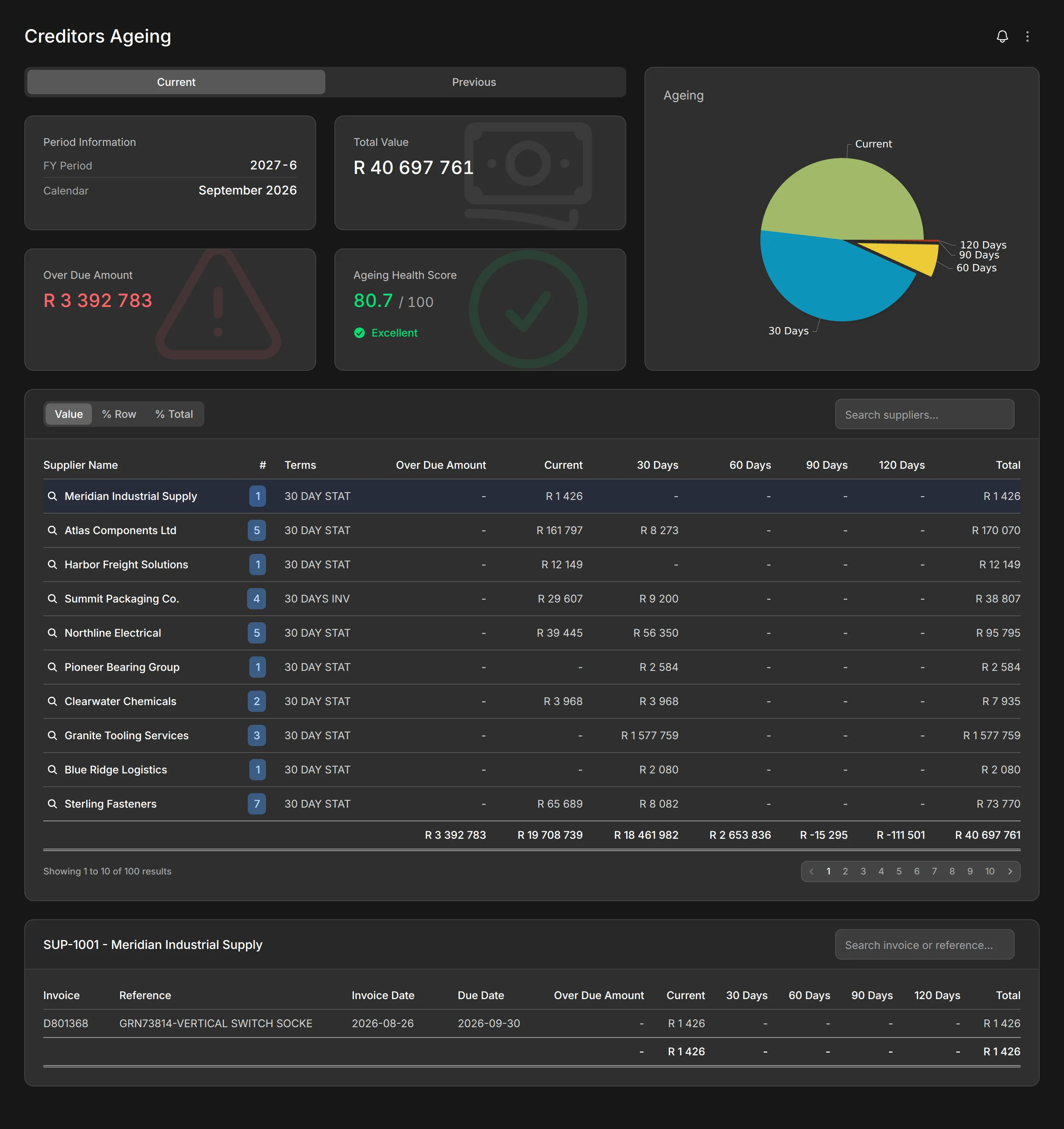
Creditors Ageing

Receivables & Payables

Ageing dashboards with health scores, pie charts, overdue breakdowns, and supplier drill-down.

Explore Receivables & Payables →
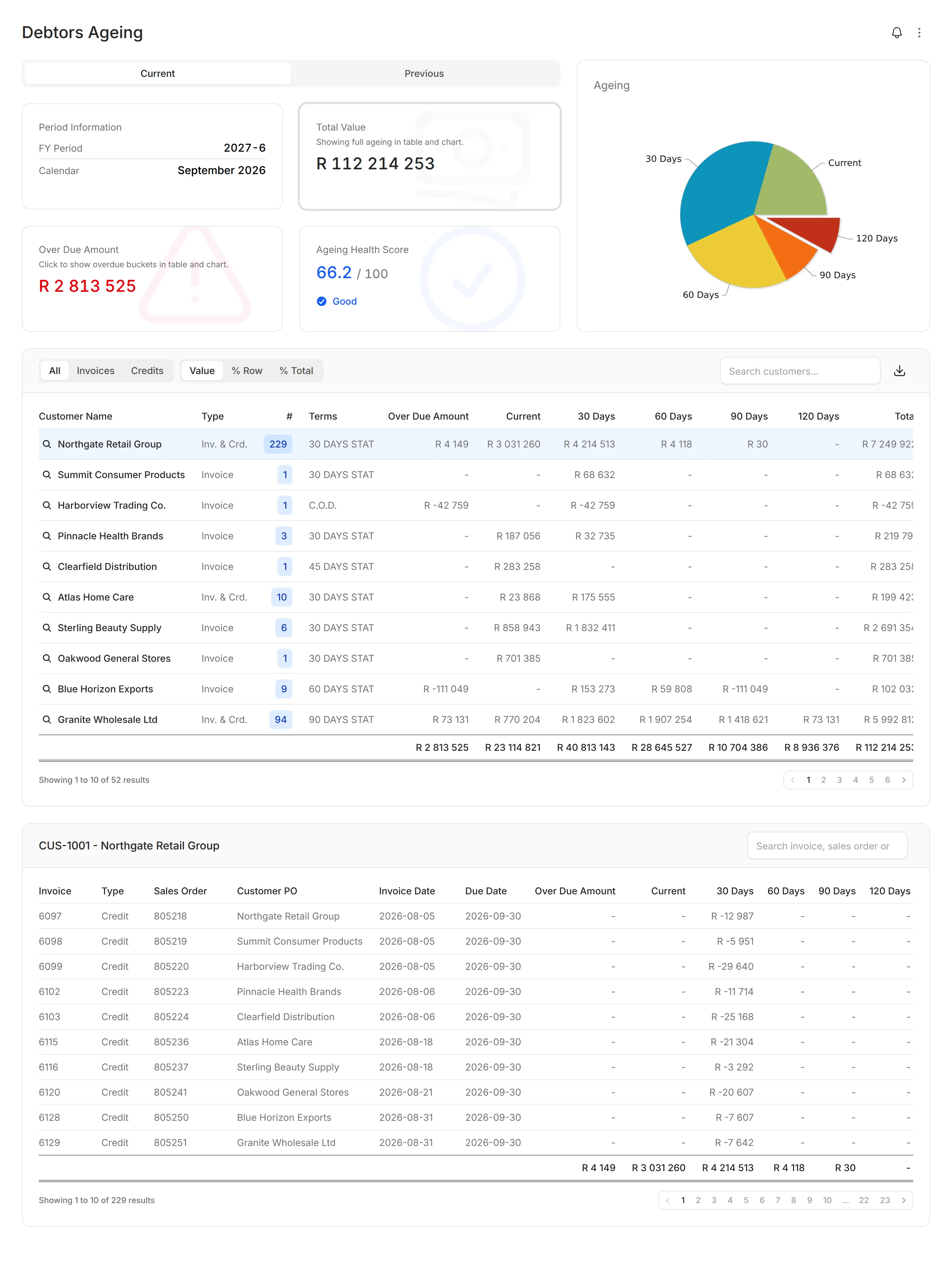
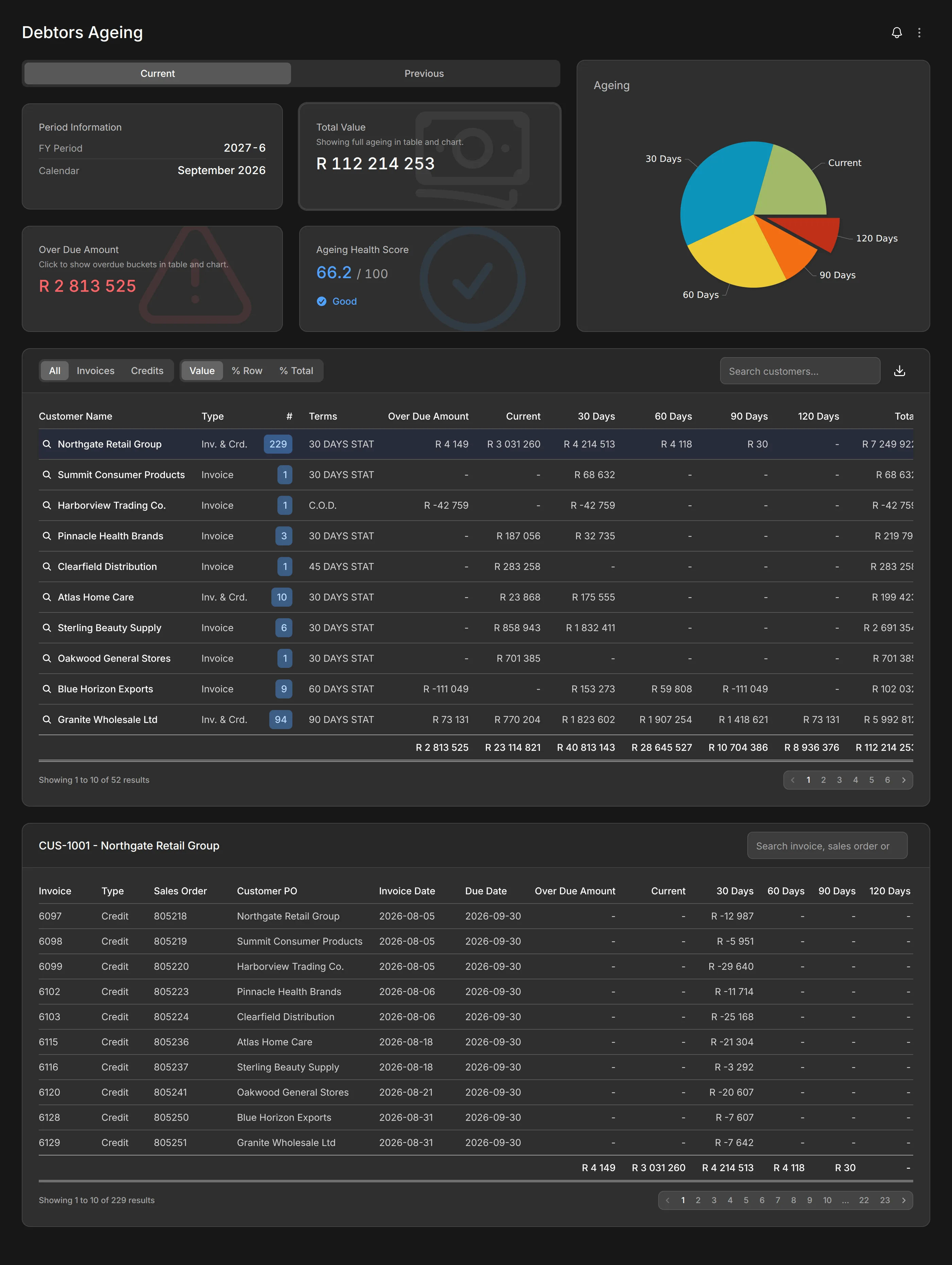
Debtors Ageing

Receivables & Payables

Full ageing dashboard with total value, overdue amounts, health score, charts, and customer detail lists.

Explore Receivables & Payables →
Module Cache

Platform

Pre-warm report data on your schedule. Configure refresh intervals per module and monitor cache health.

Managed platform

Your environment. We manage the platform.

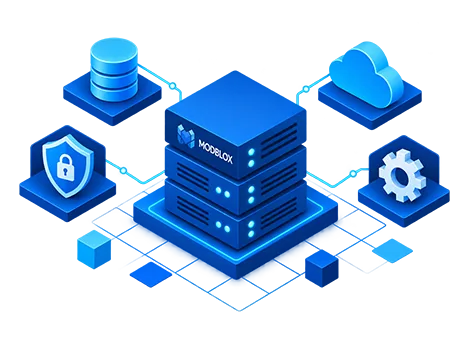
Modblox runs on a dedicated virtual server you provision in your infrastructure — your data stays in your environment, while we manage the platform for you.
  • Your environment, your data

    Modblox is deployed as a virtual server in your infrastructure. ERP data, reports, and user activity stay under your control — supporting data residency and compliance requirements.

  • We manage the platform

    Updates, health monitoring, performance tuning, and platform maintenance are handled for you. You get enterprise software without the operational overhead of running it yourself.

  • Dedicated, not shared

    Each customer gets their own virtual server — not a multi-tenant cloud service. Your instance, your companies, your configuration.

Dedicated virtual server Your environment · We manage the platform

Built for how you work

One platform connecting your ERP to every team that needs it.

Modular licensing

Enable only the domains you need — inventory, financial, sales, and more. Scale your subscription as your business grows.

Company dashboard

Compose a per-company grid of live KPI blocks from your licensed modules — ageing charts, overdue totals, inventory metrics — with consolidated variants for group companies.

Multi-company groups

One installation serves many entities. Switch between companies, customize each dashboard, or roll up consolidated views across your entire group.

Live ERP data

Real-time data from your ERP through the Data Gateway — not stale spreadsheet exports. Read live data and write back through integrated business objects. Syspro today, with an adapter architecture built for more.

Firewall-friendly

Connect via an outbound-only remote tunnel. No inbound ports, no VPN complexity, no exposing your ERP to the internet.

Instant reports

Module Cache pre-warms report data on your schedule. Dashboards load in seconds, even with millions of ERP records.

Managed platform

Runs on a dedicated virtual server in your environment with your data — but the platform is managed for you. Updates, monitoring, and maintenance without the DIY overhead.

Enterprise-ready

LDAP and Active Directory login, two-factor authentication, role-based permissions, and a full activity audit trail.

Built for Syspro. Ready for more.

The Data Gateway connects Modblox to your ERP through purpose-built adapters. Syspro is our primary, production-ready adapter — and the gateway architecture is designed so new ERP adapters can be developed as your needs grow.

Additional ERP adapters can be built on the same gateway framework. If you run a different ERP, talk to us about adapter development.

Syspro ERP

Production

Full adapter covering inventory, GL, debtors, creditors, sales, production, BOM, and more — with write-back through integrated business objects. The most complete Modblox experience available today.

How the gateway works →

Data Gateway

Connect to your ERP without opening your firewall

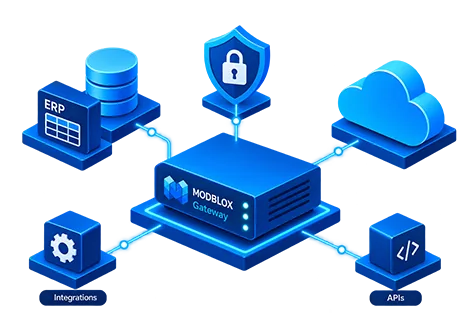
The Data Gateway sits beside your ERP with a Syspro adapter (and more to come). It reads live data and writes back through integrated business objects as a secure JSON API. Modblox connects directly or via an outbound-only remote tunnel — your network stays protected.

  • ERP adapter architecture — Syspro production-ready, extensible to other systems
  • Bidirectional connectivity — read live data and write back through integrated business objects
  • No VPN complexity — connect with a single outbound HTTPS connection
  • Same API contract whether direct or tunneled — feature code does not change
Learn about the gateway →
Secure ERP gateway connectivity

Your ERP network

ERP System Syspro adapter
Data Gateway
Connector daemon
Outbound WSS tunnel

Connector dials Core

No inbound firewall rules

Modblox Core

Gateway tunnel server
Modblox application
Dashboards & reports

Who uses Modblox?

Finance teams

Custom company dashboards, GL reporting, consolidation, intercompany reconciliation, Cognos feeds, period close

Operations

Per-company KPI dashboards, inventory ageing, warehouse valuation, stock visibility, production job tracking

Commercial teams

Sales dashboards, margin analysis, contract pricing workflows, below-cost alerts

IT & Infrastructure

Remote agent device monitoring, SQL Server blocking and wait analysis, AD user lifecycle, and secure ERP connectivity

Ready to see Modblox in action?

Request a demo and discover how the managed platform can transform your ERP reporting and operations.

Request a demo